Sessions: what survives what
Short answer: quitting Rove only detaches. A PTY-host restart or machine
reboot ends the child processes, but restores their screens and relaunches
their commands on attach. Closing a tab, archiving a managed/directory Task,
resetting a terminal, or running rove reset is an intentional teardown
instead.
What survives
| If you… | Running process | Scrollback | Tasks + worktrees | Conversation files |
|---|---|---|---|---|
| Quit the TUI | ✓ | ✓ | ✓ | ✓ |
| Drop your SSH connection | ✓ | ✓ | ✓ | ✓ |
rove daemon restart | ✓ | ✓ | ✓ | ✓ |
| Reboot, or the PTY host dies | — command relaunched on attach | ✓ restored | ✓ | ✓ |
| Close a tab | — that tab only | — that tab's ring is dropped | ✓ | ✓ |
| Archive a managed/directory Task | — all of that Task's tabs | — those rings are dropped | ✓ | ✓ |
Stop rove web | browser-owned PTYs end; standalone-host PTYs stay | browser sidecar has no freeze/thaw | ✓ | engine-owned files stay |
| Press F5 | — active terminal is replaced | — old ring is dropped | ✓ | ✓ |
rove reset | — all hosted sessions | — all frozen rings are dropped | worktrees ✓; task index kept unless --hard | ✓ |
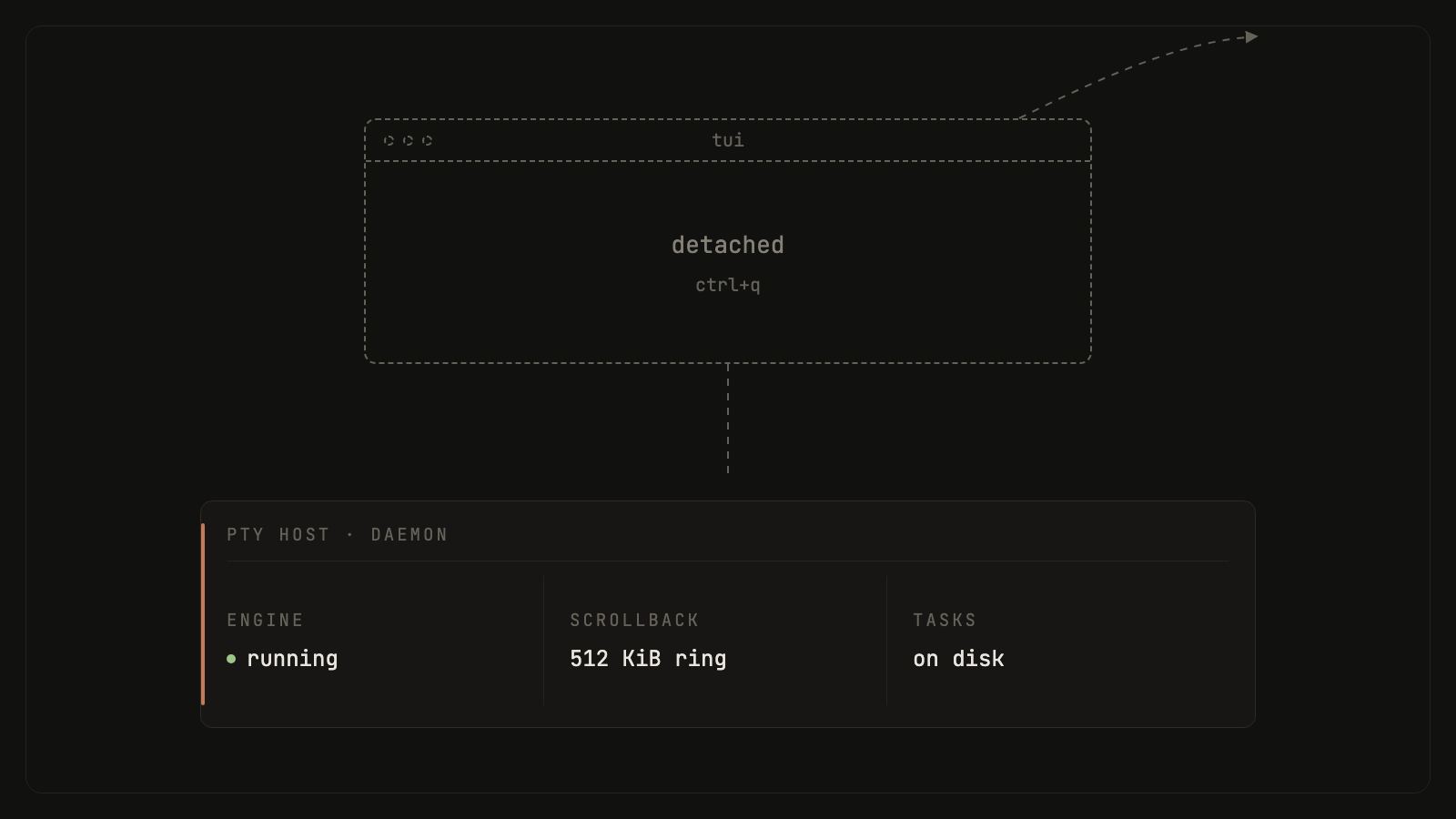
The first three rows are the whole point: the TUI is a viewport, and the daemon is replaceable. The reboot row is the freeze/restore contract: nothing keeps processes alive across a reboot, but the PTY host persists every session's metadata and bounded scrollback ring to disk. The next host first thaws a dead restored session, then the first attach replays its old screen and respawns the command in place. Your conversation files survive separately because the engine owns them.
rove reset stops the daemon and PTY host and wipes the frozen-session store.
The normal form keeps the task index, UI state, worktrees, and engine history;
rove reset --hard also removes the task and UI indexes, but still does not
delete git worktrees or engine-owned transcripts.
Why: three processes, three lifetimes
- The TUI is an attach client for standalone-host sessions. Closing it only detaches.
- The browser is a control-plane client of the same Daemon, but its
terminals belong to the Node sidecar started by
rove web. Closing a page can reconnect to the same sidecar later; stopping therove webprocess stops that sidecar and all browser-owned PTYs. It does not touch standalone TUI/API sessions. - The daemon owns your task index, worktree records, and the event bus.
It starts on first launch and stops after the last attached GUI disconnects,
unless an enabled routine or a live session in the PTY host holds it alive —
while an engine or shell tab is still running, the daemon stays up to
collect its activity events, so the sidebar status dots survive a detach.
The hold follows actual live standalone-host sessions, not persisted tab
snapshots. Restarting the daemon is routine:
rove daemon restart. - The standalone PTY host owns every TUI/API engine and shell process, plus their
scrollback. It's deliberately a separate process from the daemon, so a
daemon restart never kills a running engine. Like the tmux server, it exits
on its own only after sitting at zero live sessions.
rove resetis the explicit teardown. While it runs, it freezes every session (metadata + scrollback ring) to<home>/.kobe/pty-sessions/— throttled to one write per few seconds while streaming, immediately on exit, and in full at shutdown. A host that comes back up (after a crash, a reboot, an idle-exit) thaws each record into a dead restored session: reattaching replays the old screen and respawns the command in place. Closing a tab, archiving a task, orrove resetdeletes the record instead — an intentional end is never resurrected.
Detaching and reattaching
There's no detach command — quitting is detaching. ctrl+q, closing the
terminal, an SSH drop: the connection closes and the engine keeps running.
Reattaching is just running rove again. A fresh TUI finds the background
sessions and reopens them. A still-live hosted session always wins and is not
restarted. A freeze-restored session is the exception: its old process is
already gone, so the first attach replays the frozen ring and respawns its
recorded command.
You can attach from several clients at once. Terminal output goes to every client watching that session; your cursor, focus, and unsent draft stay local to each one.
What actually ends a session
- Exiting the engine CLI is not normally a PTY death. Every engine runs inside the tab's login shell. When the CLI exits, Rove prints a settings hint for a non-zero code, returns to the shell prompt, and treats the tab as a shell. The same PTY and scrollback remain alive.
- Exiting the shell or a one-off command ends that PTY. An extra tab closes itself; if it was the task's only tab, Rove recycles the slot into a fresh engine tab because a task cannot have zero tabs.
- Closing a tab explicitly kills that tab's hosted PTY and drops its frozen record. The last tab cannot be closed with the close action.
- Archiving a managed or directory Task stops all of its hosted sessions and drops their frozen records. The task, worktree, branch, tab snapshot, and engine history stay, so unarchiving can rebuild the sessions.
- F5 confirms, kills, and replaces the active terminal PTY. It is a
per-terminal recovery action, not the same as the global
rove reset.
A daemon-side janitor applies the archive rule even for headless
rove api archive, so an archived task cannot leave an engine running.
Tab and split state
Rove saves each Task's tab list and each terminal tab's split tree in UI state. Closing and reopening the TUI therefore restores tab order, active tab, split directions, and custom tab or split names. This saved layout is separate from the PTY host: a still-running hosted process is reattached, while a process lost to a reboot is relaunched according to the rules above.
Every split created with ctrl+\ or ctrl+= starts a login shell in the
same worktree as its tab. The first leaf keeps the tab's original engine or
command; extra leaves do not start extra agents unless you run one yourself.
Split focus is intentionally local and temporary, so a restored layout starts
from its saved structural leaf rather than trying to reproduce another
client's cursor. Closing or exiting a leaf removes it and collapses any empty
split group.
Notifications while detached
The daemon records finishes, failures, rate limits, and permission requests in the durable attention Inbox whether or not the TUI is open. Desktop notifications are different: the TUI emits an OSC 9 escape into its current terminal stream. That works through an active SSH connection to a supporting local terminal, but after the TUI, terminal, or SSH stream closes, no desktop notification can be delivered. Reattach to see the pending Inbox items and unread state.
Scrollback
Three related limits are easy to confuse:
- What a reattach replays — the PTY host keeps ~512 KiB of recent output
per session. The live copy is in memory; the complete bounded ring is also
frozen under
<home>/.kobe/pty-sessions/at most once every five seconds while output streams, immediately when the child exits, and in full during a clean host shutdown. A crash can therefore lose the newest few seconds, but a reboot or host restart restores the last completed snapshot. Closing the tab, archiving its task, orrove resetdeliberately drops the relevant frozen record. - What diagnostics retain after an abnormal PTY death —
<home>/.kobe/pty-exits.jsonstores the newest 50 abnormal deaths. Each record has the exit code or signal, time, and the last 40 plain-text lines extracted from up to 16 KiB of raw ring data. Clean exits are omitted. This is a diagnostic tail, not scrollback, and an engine CLI returning to its still-live shell does not create one. - How far you can scroll —
terminal.scrollbackRowsin Settings → General → Terminal, default 1000 rows. Applies to terminals started after the change.
Reattach has a fast path: if a tab was only hidden, Rove replays just the bytes written since it was parked, so waking it is bit-identical to never having left. Attaching from a different-sized terminal resizes the session — last attach wins, like tmux.
Resuming a conversation
Process survival and conversation survival are different things. The conversation is the engine's own file on disk, so it outlives every Rove process, including a reboot.
- Claude tabs pin their conversation up front, so a tab that already ran comes back into the same conversation after a reboot rather than a blank one. Engines that can't take a caller-set session id (Codex and the rest) relaunch fresh.
- A resumable engine tab found dead on attach gets one automatic resume attempt. If that dies too, an extra tab closes; the task's only tab recycles into a fresh engine tab rather than respawning forever.
ctrl+ayopens the resume picker for the active task — Rove's mirror of claude-code's/resume. It lists every session in the task's worktree.
rove web as a second client
rove web is a second live client of the same daemon: same tasks, same
issues, same event stream. An open browser tab keeps the daemon alive exactly
like an attached TUI does.
One difference: the web dashboard's terminals are not views of the TUI's
sessions. They're spawned by a separate sidecar process with their own
lifetime. They survive page reloads and reconnects, and several browser views
of one tab share a single terminal — but they're independent of the sessions
your TUI is attached to. Stopping rove web stops the sidecar and its browser
PTYs; they do not use the standalone host's freeze/thaw store.
Not supported
Stated plainly so this page doesn't overpromise:
- Surviving a reboot with processes intact. Tasks, worktrees, scrollback, and conversations come back from disk, and sessions relaunch on attach — but the processes themselves die with the machine; any in-flight execution state inside them is gone.
- Attaching from another machine. The sockets are local only. Running the TUI over SSH works because both ends are on the same host; there's no native remote attach.
- Event replay on reattach. Reattaching resyncs from a snapshot, not by replaying events you missed.
- Unsent drafts. A typed-but-unsent message is local to that client and lost if it dies.