Quick start
rove runs many AI coding sessions side by side in your terminal. Each managed Task gets its own git worktree and branch, so parallel Tasks never step on each other. Extra tabs inside one Task share that Task's directory.
You need Bun ≥ 1.3.11, git, and at least one engine CLI
(claude, codex, copilot, or kimi) on your PATH.
Windows also requires Node.js and Git for Windows.
Rove uses Node.js for its Windows PTY host and Git Bash as the POSIX shell
behind engine and terminal tabs. Restart Rove after installing either one so
the new executables are on PATH.
Install
bun install -g @sma1lboy/rove

# or try it without installing
bunx @sma1lboy/rove
First launch
The first rove launch asks two optional setup questions: whether to install
shell completions for the detected shell, and whether to install the companion
Rove skill for coding agents. Choose with j/k or the arrow keys and confirm
with enter. q or esc skips anything you have not answered.
The wizard finishes with a short keyboard primer. It does not sign in to an
engine; install and authenticate at least one supported engine CLI separately.
You can install the agent skill later with rove skill install.
Your first task
cd your-repo
rove
Press n, pick a repo, a base branch, and an engine. Then just talk to the
session — it's the real engine CLI, running in a fresh worktree under
~/.rove/worktrees/ (existing ~/.kobe/worktrees/ tasks remain usable).
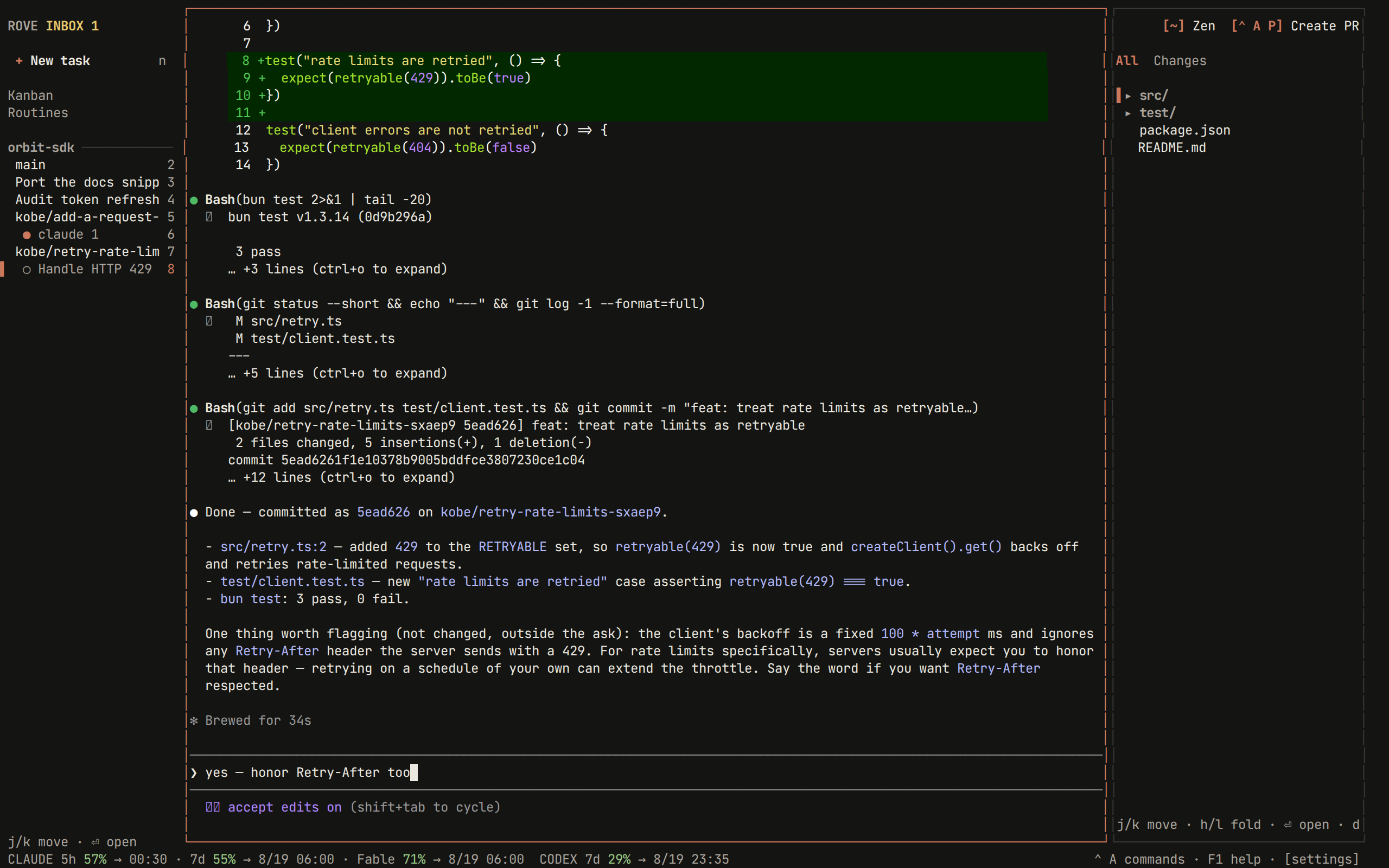
Three panes: tasks on the left, the engine session in the middle, changed files on the right. Click any of them to focus it.
Three keys to remember
| Key | What it does |
|---|---|
F1 | Shortcuts reachable from the current focus, including your overrides |
ctrl+a | Opens the command menu |
ctrl+q | Focus the sidebar — press it again to quit |
Quitting doesn't stop anything
Sessions keep running in the background after you quit, close the terminal,
or drop an SSH connection. Run rove again and everything is where you left
it. Finishes, failures, and approval requests are recorded in the Inbox and
show as unread when you return.
Desktop notifications need an attached Rove TUI and a terminal that supports OSC 9. They can ride an active SSH connection to your local terminal, but once the terminal or SSH stream is gone there is nowhere to send one; the durable Inbox entry is the notification you see on the next attach.
Run many attempts at once
One prompt, N isolated attempts, one command:
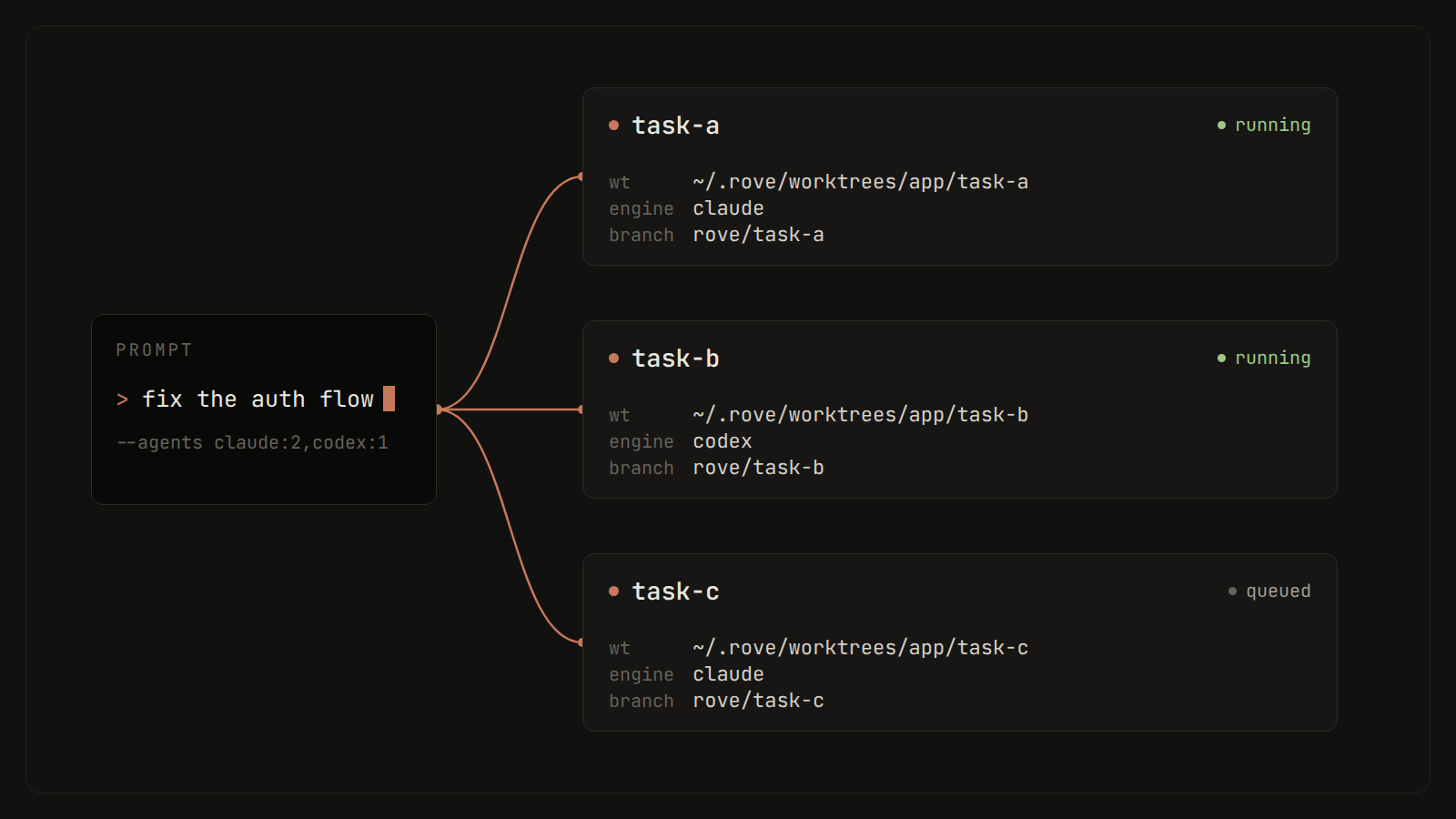
rove api fan-out --repo "$PWD" \
  --agents claude:2,codex:2 \
  --prompt "Try independent approaches to simplify the auth flow."
Compare the attempts, then land the winner:
rove api collect --task-ids a,b,c      # read-only comparison
rove api land --task-id a              # merge the winning branch
Let your agent drive
Install the companion skill so your coding agent can run this loop itself:
rove skill installIf something's wrong
rove doctor            # check daemon, engines, git
rove doctor --report   # write a bundle for a bug report
More fixes in Troubleshooting.
Next steps
- Concepts — tasks, sessions, and what survives what.
- The TUI — status glyphs, the Inbox, diff review, and the pages.
- CLI reference — every
rovecommand. - rove api — the scriptable surface for scripts and agents.
- Configuration — engines, themes, notifications.